Best AI Tools of 2026: The Ultimate Guide for Every Need
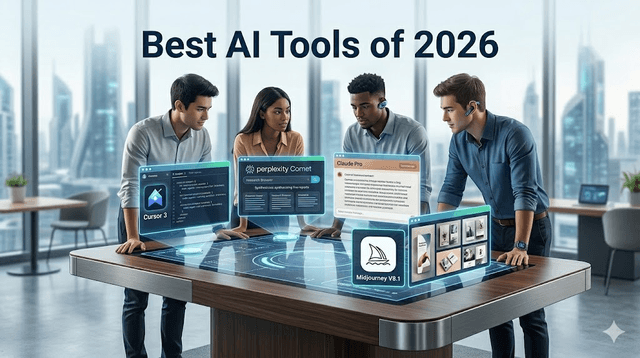
Best AI Tools of 2026: The Ultimate Guide for Every Need
Artificial intelligence has moved from a novelty to a necessity. In 2026, AI tools are embedded in browsers, code editors, finance apps, and creative suites. The challenge is no longer access — it is selection. With hundreds of tools claiming to be the best, knowing which ones genuinely improve your workflow saves time and money.
This guide covers the most impactful AI tools across categories, what each one does well, and who should use them. Whether you are a student, developer, freelancer, or business professional, at least three tools on this list will change how you work.
Why you can trust this guide
This list is built around practical workflow outcomes, not affiliate-first rankings. Each tool is evaluated by reliability, task fit, cost-to-value, and how well it integrates into real daily execution. Recommendations include trade-offs so you can avoid expensive overlap.
Evaluation criteria
Tools are ranked using five filters:
- Quality and consistency on their core use case
- Integration friction with common workflows
- Pricing efficiency for regular use
- Output reliability under realistic workloads
- Suitability for beginners vs advanced users
Quick category-to-tool map
| Category | Top Pick | Best For | Main Trade-Off | | --- | --- | --- | --- | | General reasoning assistant | Claude | Long-context analysis and structured writing | Less native integration outside dedicated workflows | | Google-native assistant | Gemini | Workspace-heavy users | Best value appears only if your stack is Google-first | | AI coding IDE | Cursor | Delegated coding tasks and agent workflows | Requires clear repo constraints to avoid over-changes | | Research assistant/browser | Perplexity Comet | Fast cited research | Needs source validation for critical decisions | | Image generation | Midjourney | Visual style and aesthetic quality | Limited API-style product integration | | Automation orchestration | n8n | Multi-app business automations | Setup complexity for non-technical users |
Why 2026 is Different
The most important shift in 2026 is that the performance gap between frontier AI models has nearly closed. Choosing between ChatGPT, Claude, and Gemini now comes down to workflow fit and budget rather than raw capability. This means the tool that integrates best with your existing software often wins over the one with the highest benchmark scores.
A second trend is agentic AI — tools that do not just answer questions but execute multi-step tasks autonomously. This category is growing fast, and the best tools in this space can now plan, write code, run tests, and open pull requests without constant human input.
1. Claude (Anthropic) — Best for Long-Context Reasoning
Claude is one of the strongest general-purpose AI assistants in 2026, particularly for tasks that involve large volumes of text. The 1-million-token context window means you can feed it an entire codebase, a long legal contract, or months of meeting transcripts and get coherent, contextually accurate responses.
Claude excels at structured writing, detailed analysis, and producing nuanced content that avoids the flat, generic tone that other AI tools often fall into. Researchers, writers, legal professionals, and analysts benefit most from its depth.
Best for: Writers, researchers, strategists, and developers working with large documents. Pricing: Free tier available. Claude Pro at $20/month.
2. Gemini 3.1 Pro (Google) — Best for Google Workspace Users
Gemini 3.1 Pro reached impressive benchmark scores in Q1 2026 and is deeply integrated into Gmail, Docs, Drive, Slides, and Calendar. If your work lives inside Google's ecosystem, Gemini reduces friction significantly. It can summarize email threads, convert rough notes into presentation outlines, and draft documents without switching between apps.
Google Antigravity, powered by Gemini, is also emerging as a genuine alternative to coding-focused IDEs for developers who want agentic capabilities without leaving the Google environment.
Best for: Professionals whose workflow runs on Google Workspace. Pricing: Free with Gmail. Gemini Advanced from $19.99/month.

3. Cursor 3 — Best AI Coding Tool
Cursor 3 shipped in April 2026 with major updates. The Agents Window lets developers run multiple AI agents in parallel, each working on isolated branches and opening pull requests when finished. Background Agents can be triggered from Slack, GitHub, or mobile and keep working even when your laptop is closed.
For developers who want to delegate repetitive coding, refactoring, or testing tasks, Cursor 3 is the most capable option available. The philosophy is clear: you act as the architect, and AI agents do the building.
Best for: Software developers and engineers. Pricing: Free tier. Pro at $20/month.
4. Perplexity Comet — Best for Research
Perplexity evolved from a smarter search engine into an AI-native browser called Comet. Instead of returning a list of links, Comet synthesizes real-time web research into cited reports as you browse. It pulls from multiple live sources, cross-references claims, and delivers structured answers with verifiable citations.
For competitive research, pre-meeting preparation, and any task that requires understanding a topic quickly from multiple angles, Comet is the most practical research tool of 2026.
Best for: Journalists, analysts, students, and anyone doing deep research. Pricing: Free tier available. Perplexity Pro at $20/month.
5. Windsurf — Best Coding Tool for Team Workflows
Windsurf held the top position in LogRocket's April 2026 AI Dev Tool Power Rankings. Its latest update introduced parallel AI sessions with Git worktrees and a dedicated AI terminal. The SWE-1.5 model runs significantly faster than competing models at near-SOTA coding quality.
For teams that need an AI coding assistant built for collaborative development, Windsurf's workflow integrations are among the best available.
Best for: Development teams and power users who write code daily. Pricing: Pro at $20/month.

6. Midjourney V8.1 — Best for Image Generation
Midjourney shipped V8.1 in April 2026, a stability-focused update that improved consistency in character and style across generations. For designers, marketers, and content creators who need high-quality images at scale, it remains the top choice for aesthetic output.
Best for: Designers, marketers, and content creators. Pricing: Basic from $10/month.

7. NotebookLM (Google) — Best Free Research Tool
NotebookLM lets you upload PDFs, audio files, and websites, then creates an AI expert grounded only in your provided sources. The free tier is generous: up to 100 notebooks with 50 sources each. Its Audio Overview feature converts dry documents into engaging podcast-style discussions.
For students, researchers, and analysts who need to process large volumes of source material, NotebookLM is one of the most valuable free tools available.
Best for: Students, researchers, and knowledge workers. Pricing: Completely free.
8. Lovable — Best No-Code App Builder
Lovable lets non-developers build functional web apps using natural language descriptions. In 2026, the quality of AI-generated apps has improved dramatically, and Lovable is the most beginner-friendly starting point. You describe what you want, the tool builds it, and you can deploy in minutes.
Best for: Non-developers who need to ship functional apps quickly. Pricing: Free tier. Pro from $25/month.
9. Grammarly — Best Writing Assistant
Grammarly remains the most reliable writing polish tool in 2026. Beyond grammar, it improves tone, clarity, and readability. For professional emails, reports, and cover letters where language quality directly affects outcomes, it continues to deliver consistent value.
Best for: Professionals and students who write frequently. Pricing: Free tier. Premium at $12/month.
10. n8n — Best for Workflow Automation
n8n connects AI models with business tools including Slack, HubSpot, and Microsoft 365 through its AI Agent nodes, which now support over 420 apps and services. Self-hosted deployment makes it GDPR-compliant, which matters for European teams. For customer support automation, lead qualification, and document workflows, it is the most flexible automation platform available.
Best for: Operations teams, developers, and businesses that need custom AI-powered workflows. Pricing: Free self-hosted. Cloud plans from $20/month.

How to Build Your AI Stack

Most people benefit from three to five tools that cover different jobs. A strong general-purpose starting stack looks like this: one AI assistant (Claude or Gemini based on your ecosystem), one research tool (Perplexity), one writing editor (Grammarly), and one specialized tool for your core work (Cursor for developers, Lovable for product builders, Midjourney for visual creators).
Avoid stacking tools that do the same job. Overlap creates confusion and extra subscriptions without extra output. Add tools only when there is a clear gap your current setup cannot fill.
Final Thoughts
The best AI tools in 2026 are not the ones with the most features — they are the ones that fit naturally into your workflow and improve consistency over time. Start with one or two tools, test them for two weeks, and measure whether your output quality or speed improved. If yes, keep them. If not, move on.
The category is moving fast, but the fundamentals have not changed: clear input produces useful output. No AI tool can compensate for vague goals or weak process. Use these tools to amplify good habits, not to replace them.
Common stack mistakes to avoid
- Paying for three tools that solve the same core task
- Selecting tools by benchmark headlines instead of workflow fit
- Skipping a two-week trial period before subscribing long term
- Trusting outputs without verification in high-stakes work
Get Weekly AI + Tech Updates
Receive practical AI tools, workflows, and hand-picked resources in one concise weekly email.
AI & Software Writer
Akash Kumar is a software engineer with a master's degree in computer science. He writes about AI tools, software development, and emerging tech, drawing on his engineering background to test new AI products hands-on and explain how they fit into real development workflows for developers, students, and creators.