Cybersecurity in 2026: The Biggest Threats and How to Protect Yourself
Cybersecurity in 2026: The Biggest Threats and How to Protect Yourself
Cybercriminals do not take days off, and in 2026 they have better tools than ever. AI-generated phishing emails are now indistinguishable from legitimate business communications. Ransomware attacks are increasingly automated. Deepfakes can convincingly impersonate executives, family members, or customer service agents. And the volume of threats has grown to the point where the old approach of simply being "careful" is no longer sufficient without specific protective habits.
The good news is that the most effective defenses are not complicated or expensive. Security experts consistently confirm that a small set of habits — strong authentication, consistent updates, and phishing awareness — stop the vast majority of real-world attacks. The challenge is consistency, not complexity.
This guide covers the threats that actually matter most in 2026, and the specific actions that provide the best protection for everyday users.
Why you can trust this guide
This guide focuses on defensive actions with consistently high real-world impact for non-technical users. Recommendations are prioritized by practical risk reduction: account takeover prevention, phishing resistance, data recovery readiness, and identity protection. We intentionally avoid low-impact "security theater" tips and prioritize habits that remain effective even as AI-enabled attacks evolve.
Threat-to-defense quick map
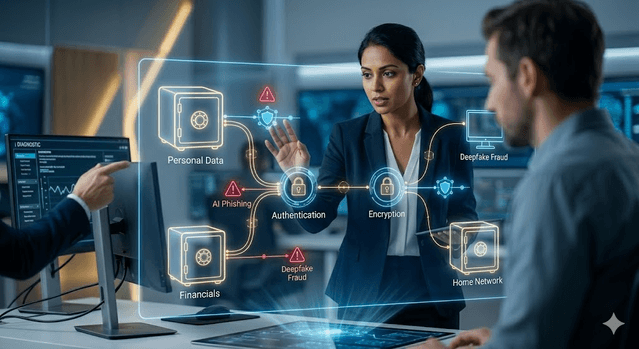
| Threat | Typical Attack Path | Highest-Impact Defense | | --- | --- | --- | | AI phishing | Fake login links, urgent account alerts | MFA + verify via separate channel | | Credential stuffing | Reused passwords from old breaches | Unique passwords in a password manager | | Ransomware | Malicious attachment or unpatched system | Frequent backups + automatic updates | | Deepfake voice/video fraud | Urgent social engineering calls | Pre-agreed verification phrase/process | | Identity theft | Data broker exposure + stolen personal data | Credit freeze + transaction alerts |
The threat landscape in 2026: what has changed
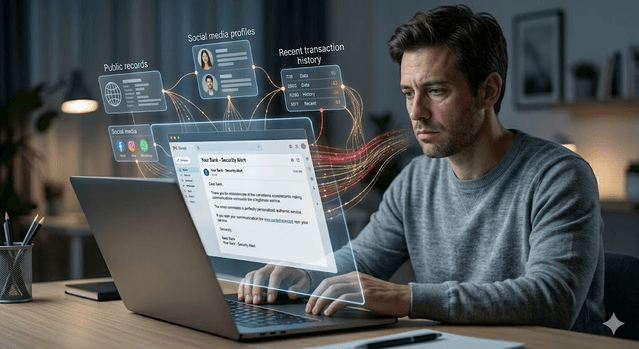
AI-powered phishing is the most significant shift for everyday users. Phishing emails used to be identifiable by poor grammar, generic greetings, and suspicious links. AI-generated phishing in 2026 is personalized, grammatically perfect, and contextually convincing — referencing your recent transactions, your employer, or events you have actually participated in, assembled from data available through data broker sites, social media, and previous breaches.
Ransomware has become more targeted and more automated. Rather than mass campaigns hoping one recipient clicks something foolish, sophisticated ransomware operators now use AI tools to identify which targets have the most valuable data, which systems have the most critical dependencies, and when the best moment to strike is. For individuals, home network devices — routers, smart home devices, NAS drives — are increasingly targeted as entry points.
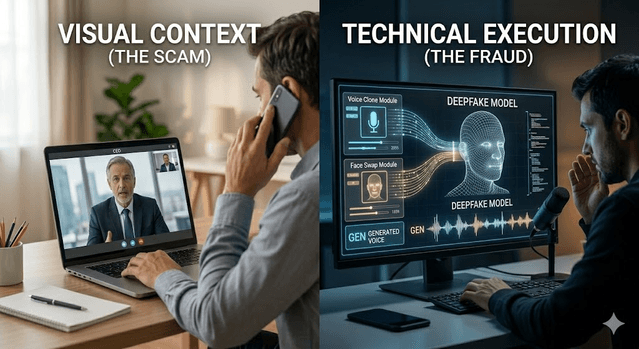
Deepfake fraud has become operationally viable. Using generative AI, attackers can create real-time voice and video impersonations convincing enough to fool employees into transferring funds, sharing credentials, or granting access. Cases of deepfake CEO fraud have been documented across multiple industries. For individuals, deepfake voice calls impersonating family members claiming to be in emergency situations are an emerging scam vector.
Attacks on critical infrastructure are escalating. Healthcare systems, utilities, transportation networks, and financial infrastructure face increasing pressure from both criminal and state-sponsored actors who recognize that disruption of essential services creates leverage. While most individuals are not directly targeted by these campaigns, service disruptions and data breaches from these attacks affect millions of people downstream.
Quantum computing is not yet a mainstream attack tool, but its anticipated arrival is already reshaping long-term security planning. Organizations with sensitive data that needs protection for ten or more years are beginning to transition to quantum-resistant encryption now, anticipating that today's encrypted data could eventually be broken by future quantum systems.
The five actions that stop most attacks
Security experts agree that basic hygiene stops the vast majority of real-world attacks. These are not complicated technical steps. They are habits.
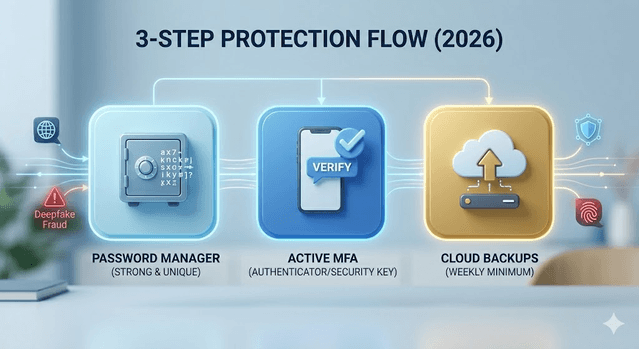
Use strong, unique passwords with a password manager. Password reuse is one of the leading causes of account compromise. When one service is breached, attackers try those credentials on email, banking, and other high-value accounts. A password manager generates and stores random, complex passwords for every account, meaning a breach at one service cannot cascade into others. Bitwarden and 1Password are both well-regarded options with free tiers.
Enable multi-factor authentication (MFA) on all important accounts. MFA requires a second verification step beyond your password — a code from an authenticator app, a hardware security key, or a biometric. Even if an attacker has your password, MFA blocks access without the second factor. Prioritize MFA on email first, because email controls password resets for everything else, then banking, then any account containing personal or financial information.
Keep everything updated. Software updates patch known security vulnerabilities that attackers actively exploit. Enable automatic updates for operating systems, browsers, apps, and router firmware. Attackers use automated tools to scan for systems with known unpatched vulnerabilities — an unpatched device is like leaving a known broken window in your house.
Be skeptical of urgency. The single most consistent element across phishing emails, phone scams, and social engineering attacks is manufactured urgency. An email claiming your account will be closed in 24 hours unless you verify your details, a call claiming there is suspicious activity on your account, a text from a delivery service claiming your package requires immediate action — these all use urgency to bypass your normal critical thinking. Any communication creating pressure to act immediately without time to verify is a red flag.
Back up important data. Ransomware encrypts your files and demands payment for the decryption key. A recent backup stored separately from your main device — a cloud backup, an external drive kept disconnected from your computer, or both — means ransomware cannot hold your data hostage. Back up weekly at minimum. Test your restoration process at least once a year.
Protecting yourself against AI-powered phishing
Standard phishing advice — look for bad grammar, check the sender's email address — is no longer sufficient against AI-generated attacks. Updated habits are needed.
Verify through a separate channel before acting. If you receive an email from your bank, employer, or a service provider asking you to click a link or provide information, close the email and contact them directly using a phone number from their official website or a number you have previously used. Never call a number provided in a suspicious email.
Check links before clicking. Hover over any link to see the actual URL before clicking. Phishing pages often use URLs that look similar to legitimate ones but contain subtle differences — paypal-security.com instead of paypal.com, for example.
Be cautious with attachments. Opening an attachment from an unexpected email, even from someone you know, can execute malware. If you were not expecting the file, verify with the sender through a separate channel before opening it.
Set up email aliases for subscriptions. Using separate email addresses for different purposes — one for banking, one for shopping, one for newsletters — limits the damage if any single address is compromised in a breach and makes phishing targeting your financial accounts easier to spot.
Protecting your home network
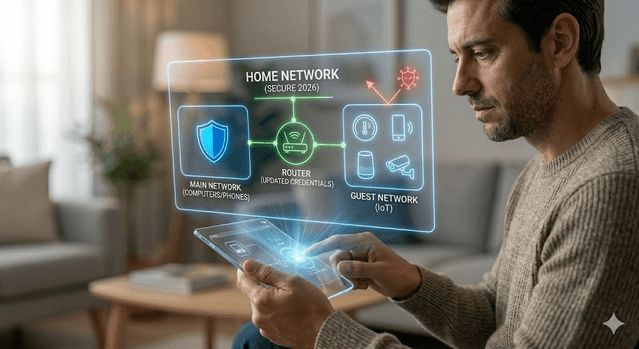
Your home router is the gateway to every device in your house, including phones, laptops, smart TVs, and smart home devices. A compromised router can intercept your traffic, redirect you to fake websites even when you type the correct address, and serve as an entry point for deeper network attacks.
Change your router's default admin credentials immediately after setup — default usernames and passwords are publicly documented and routinely exploited. Update router firmware whenever updates are available. Separate your smart home devices onto a guest network to isolate them from your computers and phones.
Consider whether smart home devices with always-on microphones and cameras are worth the convenience trade-off given the security implications. At minimum, place them on isolated network segments where a compromised device cannot communicate with your other systems.
Identity protection basics
Your personal information appears on hundreds of data broker websites — name, address, phone number, email, employment history, relatives — assembled from public records and commercial data. This information feeds phishing targeting, reduces friction for identity theft, and enables social engineering.
Freeze your credit at all three major bureaus (Equifax, Experian, TransUnion). A credit freeze prevents new accounts from being opened in your name even if a thief has your Social Security number. It is free, takes minutes to do online, and can be temporarily lifted when you genuinely need to apply for credit.
Consider a data broker removal service that regularly requests removal of your information from these sites. The information resurfaces over time, so ongoing removal rather than a one-time request is more effective.
Monitor your accounts regularly. Most banks and credit card providers offer real-time transaction alerts. Enable them. Catching unauthorized transactions within hours rather than weeks dramatically improves the recovery outcome.
Common protection mistakes to avoid
- Enabling MFA only on banking but not on email (email is usually the reset path for everything else)
- Keeping backups connected all the time, which allows ransomware to encrypt backups too
- Trusting caller ID or voice familiarity without independent verification
- Delaying updates for months on routers and browsers
- Reusing one "strong" password across multiple services
A simple security priority order
If you are starting from scratch, work through this list in order. Each step provides meaningful protection and enables the next.
First, set up a password manager and update all important account passwords to unique, randomly generated credentials. Second, enable MFA on email, banking, and any account containing personal or financial information. Third, enable automatic updates on all devices and check your router's firmware. Fourth, freeze your credit at all three bureaus. Fifth, set up cloud backup or an external drive with regular automated backups. Sixth, run through your subscriptions and consolidate or cancel accounts you no longer use — fewer accounts means fewer attack surfaces.
This is not a one-time checklist. Cybersecurity in 2026 requires periodic attention. A 30-minute review every few months — checking for unused accounts, verifying backups are working, scanning for unfamiliar activity — is genuinely enough maintenance for most individuals.
The threats are real and growing. But so are the tools to address them. You do not need technical expertise to protect yourself meaningfully. You need consistent habits and a willingness to think critically about communications that ask you to act immediately.
Get Weekly AI + Tech Updates
Receive practical AI tools, workflows, and hand-picked resources in one concise weekly email.
AI & Software Writer
Akash Kumar is a software engineer with a master's degree in computer science. He writes about AI tools, software development, and emerging tech, drawing on his engineering background to test new AI products hands-on and explain how they fit into real development workflows for developers, students, and creators.